
How to create a professional resume online: Step-by-step guide
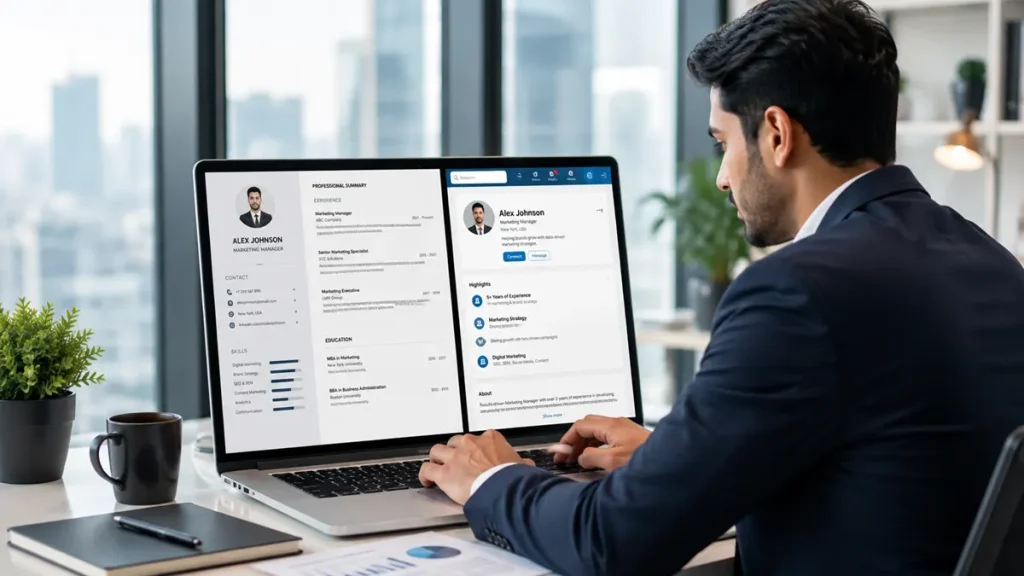
You opened your laptop and searched for “create resume online”, only to be overwhelmed by hundreds of templates demanding information you were not sure you had.
After adding basic details, you are left staring at empty boxes for summaries and experience, wondering which sections matter and how to write professional bullets.
As a fresher or an early career professional, if this feels overwhelming, you are not alone. Many struggle to convert their experiences into a polished document without being designers or professional resume writers.
With the right online resume builder and a clear step-by-step approach, you can build a clean, compelling resume quickly and confidently.
In this guide, you will learn how to choose the right online tool, pick the best format, write each section confidently, and download an impressive resume you can use for every application.
📌 Key takeaways
- Creating a professional resume online is easier when you use a guided online resume builder.
- Prepare your contact details, education, work experience, skills, and achievements before you start building your resume.
- Follow a clear process: choose a resume builder, select a template, add your details, write a summary, include your experience and skills, then review and download.
- Look for features such as professional templates, guided sections, customization options, PDF downloads, and writing assistance when choosing a resume builder.
- Keep your resume simple, relevant, and easy to read by using clear formatting and concise bullet points.
- Always proofread your resume and save it as a PDF before sharing it with employers.
- Tailor your resume for different job applications to highlight the skills and experience most relevant to each role.
- A well-structured, perfect resume improves readability for both recruiters and Applicant Tracking Systems (ATS), increasing your chances of getting shortlisted.
Table of contents
1. What is the easiest way to create a professional resume online?2. What information should you prepare before creating your resume?
3. Step-by-step guide to creating a professional resume online
4. Features to look for in an online resume builder
5. Why use MyCareernet AI Resume Builder?
6. Resume creation checklist
7. Common mistakes to avoid while creating a resume online
8. Turn your experience into opportunities with MyCareernet
9. Frequently asked questions
What is the easiest way to create a professional resume online?
The easiest way to create a professional resume online is to use a simple online resume builder.
Instead of starting with a blank page, you simply choose a template, fill in your details, and let the tool handle the formatting. This is what makes it so easy to create a resume online in the first place.
This saves time and removes the stress of designing everything from scratch. Many modern resume builders also use AI to help you write better content.
They suggest bullet points, summaries, and relevant keywords based on your role, skills, and experience, so you can build a resume online without staring at a blank section.
You can then edit these suggestions to match your real projects and internships. This way, you get a professional-looking resume with strong, clear wording.
Start with a guided template
A good online resume builder makes the process much easier. It gives you ready-made sections so you know exactly what to add and where, along with professionally designed resume templates or guided ATS-friendly resume template options that suit different industries and career stages.
You do not need design skills or advanced formatting knowledge. You just focus on writing your information clearly and honestly, using a professional resume template or free resume templates as a starting point, with clean resume design built in.
This is especially helpful if you are a student, fresher, or early-career professional, since a one-page resume is often the best fit at that stage. With a professional resume builder, you can:
- See clear sections for personal summary, experience, education, and skills
- Fill in your details step by step without worrying about layout
- Build a resume online in a few simple minutes
- Download your resume in a format that is easy to share with recruiters
- Use editing suggestions, then adapt the wording to match your own voice and personal brand
💡 Quick insight
To increase your chances, include the relevant skills, tools, and role titles. Keywords are crucial online. Many job portals use software to scan resumes for keywords from the job description.
What information should you prepare before creating your resume?
Before you start to build your resume online, prepare your contact details, education history, work experience, and key skills — having these ready upfront makes the process faster and helps you avoid last-minute searching, especially when using professional resume templates or importing an existing resume.
Keep your contact information ready: full name, phone number, professional email, city, and links to your LinkedIn and your portfolio if you have one.
Many platforms also offer free resume templates, and some libraries include hundreds of professionally-designed resume templates to help you get started faster.
Additionally, collect your education details, including degrees, institutions, and years of completion.
List your work experience, internships, or projects with company names, roles, dates, and a few bullet points about what you did.
Note down your top skills, certifications, and any achievements you want to highlight. This is the groundwork a good professional resume builder will ask you for.
Once this is ready, using an online resume builder becomes smooth and stress-free — and even if you are still figuring out the skills freshers should include in their resume, having it all listed out makes that easier too. If you are early in your career, your resume should usually stay on one page.
Step-by-step guide to creating a professional resume online
Thinking about how to write a resume for freshers? Here is a step-by-step guide to help you build a resume online with confidence.
-
Step 1: Choose a trusted online resume builder
Pick a platform that offers clean templates and easy-to-use sections. Make sure it allows you to save and edit your resume later. -
Step 2: Select a professional template
Choose a simple, recruiter-friendly design that matches your field. Avoid overly decorative layouts if you are applying to traditional companies. -
Step 3: Fill in your contact details
Add your full name, phone number, professional email, city, and links to your LinkedIn or portfolio. -
Step 4: Write a short professional summary
Create 2–3 lines that highlight your role, key skills, and what you bring to employers. Understanding career objectives for resumes for freshers helps you showcase your true capabilities. -
Step 5: Add your experience, education, and skills
Enter your internships, jobs, projects, degrees, and certifications in reverse chronological order. Use short bullet points and action words. -
Step 6: Review and download
Check for spelling or formatting errors, then download your resume as a PDF. You now have a polished document ready to share.
Features to look for in an online resume builder
A good online resume builder should offer professional templates, guided resume sections, easy customization, reliable download options, and tools that help you create a clear, recruiter-friendly resume.
Whether you're building a standard resume or a curriculum vitae for academic and research roles, the right platform makes the process faster and less stressful.
The best resume format will guide you, and make it easy to update your resume as your career changes.
-
Guided, structured sections
Clear prompts for each part: contact details, summary, work experience, education, skills, and projects. Built-in examples or hints so you know what to write in each section, structured in a logical order that matches recruiter expectations with a real-time preview. -
Clean, professional templates
Simple, easy-to-read designs that look good on screen and when printed. Layouts that avoid heavy graphics or unusual fonts to keep your resume readable across corporate, tech, creative, and academic fields. -
Easy, safe customization
Straightforward controls to change fonts, colors, and spacing without breaking alignment or margins, accompanied by an instant live preview. -
Reliable export and sharing
One-click download as a PDF to keep formatting intact, with additional export options (like Word or shareable web links) when required. -
Save and update anytime
Auto-save functionality, account storage to edit later under a free plan, and support for multiple tailored versions for different job applications. -
Writing support and quality checks
Spelling and grammar checks, AI-powered writing assistants for drafting summaries and metric-driven bullet points, role-specific content suggestions, and job description matching tools. -
Useful extras (optional but helpful)
Matching cover letter templates, job application tracking tools, and resources for job interview prep and career planning.
🎯 Tactical tip
Choose a resume builder that lets you create multiple resume versions. This makes it easier to apply for different roles without rewriting your resume from scratch.
Why use MyCareernet AI Resume Builder?
MyCareernet AI Resume Builder is designed to help students, freshers, and early-career professionals create strong, recruiter-ready resumes with ease.
- Backed by holistic hiring expertise: Prepare a resume that strengthens your career profile. With insights from 2,000+ recruiters and Careernet’s 27 years of hiring experience, the platform helps you build a resume online that aligns with industry standards and employer expectations.
- Free and easy to use: Create, edit, and download your resume in PDF or Word format at no cost. The intuitive interface makes it easy to create a resume online without any design or formatting skills.
- AI-powered guidance: Get smart suggestions for professional summaries, achievement-focused bullet points, and skills. This professional resume builder helps you write stronger content, save time, and present your experience more effectively.
- 20+ professional resume templates: Choose from a wide range of clean, ATS-friendly resume templates designed for different industries and career stages. Each template is optimized for readability and professional presentation.
- Quick customization: Tailor your resume for specific job descriptions in just a few clicks. The tool highlights relevant skills and keywords, helping your application stand out to hiring managers and impress recruiters.
With the MyCareernet AI Resume Builder, you can create a resume online, customize it for different opportunities, and download a polished, recruiter-ready document in minutes.
Resume creation checklist
Before you download or share your resume, run through this quick checklist. It helps you avoid small mistakes that can make a big difference.
- Contact details are correct: Double-check your name, phone number, and email. Make sure your LinkedIn or portfolio links work.
- Summary is clear and short: Your professional summary should be 2–3 lines and highlight your key strengths.
- Experience is in order: List your latest internships or jobs first, with clear dates and bullet points.
- No spelling or formatting errors: Read your resume once to catch typos or inconsistent spacing.
- Saved as PDF with a proper name: Download your file as PDF and name it cleanly (e.g., “FirstName_LastName_Resume.pdf”).
- Placement assessment readiness: Complement your resume preparation by practicing on practice assessments for placement and interview prep.
Common mistakes to avoid while creating a resume online
Creating a resume online is easy, but small mistakes can reduce your chances of getting noticed. Avoiding these errors helps your resume look clear, professional, and recruiter-ready.
-
Using too many colors or fancy designs
Overly decorative templates can distract recruiters from your content. Stick to a clean, simple layout that is easy to read on screens and in print. -
Writing long paragraphs
Large blocks of text are hard to scan quickly. Use short bullet points that highlight your key achievements and responsibilities so recruiters can grasp your impact at a glance. -
Including irrelevant details
Listing every outdated course or hobby can clutter your resume. Focus strictly on information that supports the role you are applying for. -
Skipping proofreading
Spelling mistakes, grammatical errors, or wrong dates create a poor impression. Always review your content before downloading or sharing. -
Uploading the wrong file format
Sending an unformatted file can break your layout on different devices. Download and share your resume as a standard PDF to keep the layout intact.
📊 Quick fact
A well-structured resume is easier for both recruiters and Applicant Tracking Systems (ATS) to read, increasing the chances of your application moving to the next stage.
Turn your experience into opportunities with MyCareernet
AI-powered and advanced tools help you create a polished, recruiter-friendly resume online with smart suggestions, professional templates, and easy customization.
Build your resume faster while highlighting your skills, achievements, and experience with confidence.
With MyCareernet, you can create a resume online and discover opportunities that align with your profile, helping you move smoothly from resume creation to job applications. Apply for jobs on MyCareernet.
Frequently asked questions
1. Can I create a professional resume online for free?
Yes, you can create a professional resume online for free using tools like the MyCareernet AI Resume Builder. These platforms offer ready-made templates, guided sections, and free PDF downloads so you do not need to pay for basic features.
2. Is an online resume builder better than creating a resume in Microsoft Word?
For most job seekers, yes. An online resume builder gives you clean templates, automatic formatting, and smart suggestions, while Word requires you to design the layout yourself. This saves time and reduces formatting errors, especially if you are not confident with design.
3. How long does it take to create a resume using an online resume builder?
If your information is ready, you can build a strong resume in 15–30 minutes. Online resume builders guide you step by step, so you spend less time on formatting and more on writing clear, impactful content.
4. Can I edit my resume after downloading it?
Yes, most online resume builders allow you to save your resume in your account and edit it later. You can update your experience, skills, or summary anytime and download a fresh PDF whenever you need.
5. Do recruiters prefer resumes created with online resume builders?
Recruiters care more about clarity, relevance, and professionalism than the tool you use. A well-structured resume from a good online builder often looks cleaner and more consistent than a self-designed Word document, which works in your favor.
6. Can I create different resumes for different job applications?
Absolutely, and it is recommended. Online resume builders make it easy to create multiple versions tailored to different roles. You can highlight different skills, projects, or experiences depending on the job ad description.

MyCareernet
Author
MyCareernet brings expert insights and tips to help job seekers crack interviews and grow their careers.